
Customer Feedback Analysis for SaaS: The Retention Playbook

Ayush Soni
Founder, Revcover
On this page
- Why Most Customer Feedback Fails to Stop Churn
- Insight latency kills the value
- The channels are disconnected from the revenue event
- What good feedback analysis actually does
- Capture Feedback at High-Leverage Moments
- Cancellation intent produces honest feedback
- Payment failure is feedback too
- Replace one cancel button with a routing system
- Process and Cluster Feedback Automatically
- Centralize first, then classify
- Why keyword matching breaks down
- Build a taxonomy your teams can use
- Attribute Feedback Themes to At-Risk MRR
- Move from theme counts to revenue context
- A simple operating model
- Use theme-level MRR for routing, not just reporting
- Prioritize Actions and Run Retention Experiments
- Decide what goes to product and what stays in retention
- Design save paths by reason
- Measure recovered revenue, not just click-throughs
- Use product feedback to justify roadmap choices
- Close the Loop with Integrated Workflows
- Push the signal into the tools people already use
- Make escalation rules explicit
- Close the customer loop too
- Conclusion From Feedback to a Revenue Flywheel
A customer clicks Cancel subscription. Your app asks for a reason. They choose “no longer needed,” churn goes through, and the team moves on.
A week later, someone notices that the account was high value, had recent support activity, and had mentioned the same product limitation twice in freeform comments. By then, the revenue is gone. The feedback exists, but it arrived too late, in the wrong place, and without any connection to the account value that just walked out the door.
This is the core problem with customer feedback analysis in SaaS. Many teams aren't short on feedback. They're short on a system that captures it at the moment of risk, turns messy text into usable themes, and ties those themes to revenue fast enough to change the outcome.
The market is moving in that direction. The Customer Feedback Software Market was valued at USD 2.28 billion in 2026 and is projected to reach USD 6.95 billion by 2035, growing at a CAGR of 12.7%, reflecting a shift toward data-driven interpretation of customer opinions for retention, according to Business Research Insights on the customer feedback software market.
Why Most Customer Feedback Fails to Stop Churn
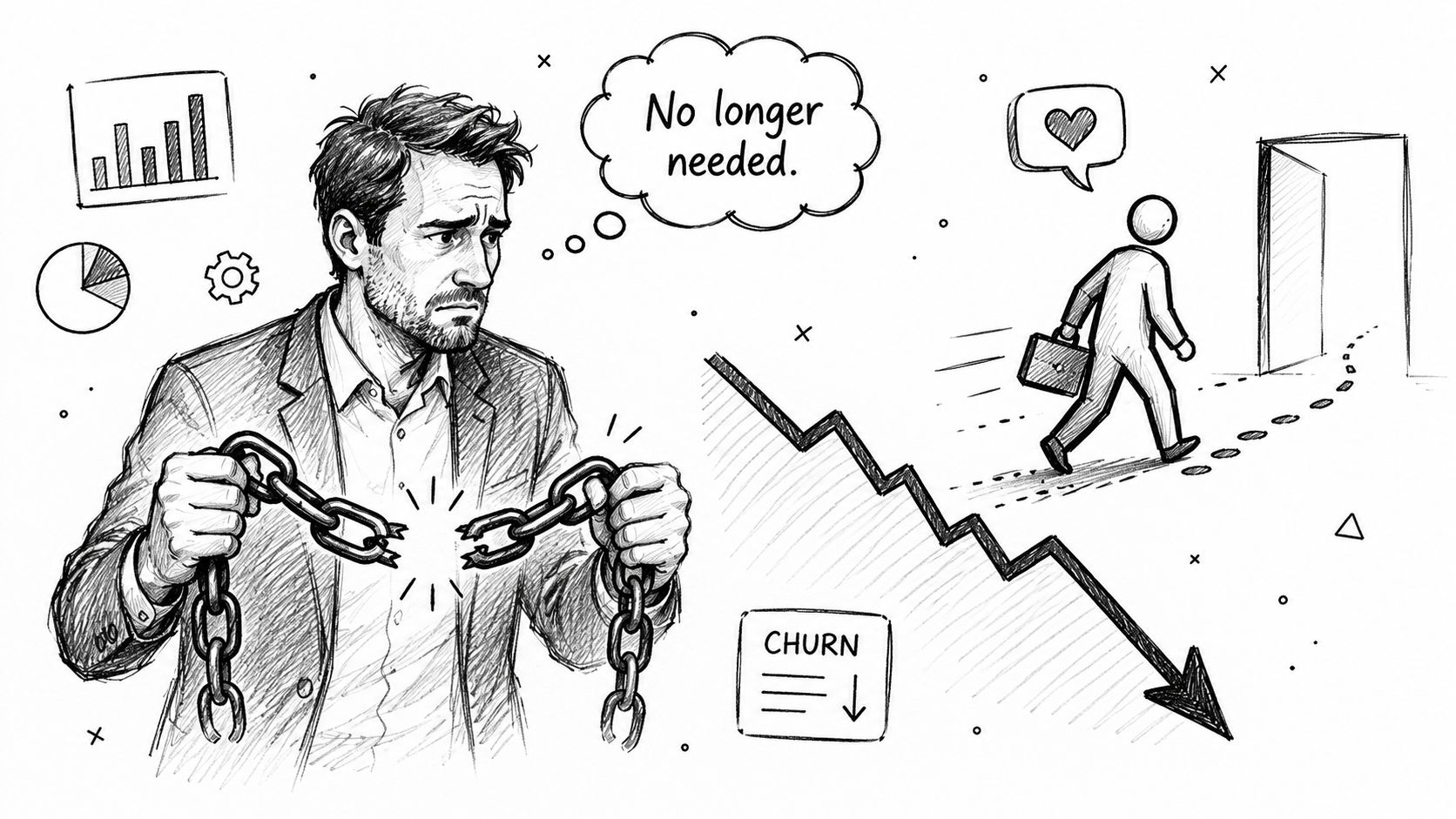
Most feedback programs fail for one reason. They optimize for collection, not intervention.
Teams run NPS surveys, export support tickets, skim churn survey responses, and hold a monthly review. That creates a reporting system. It doesn't create a retention system. By the time the signal reaches product, success, or growth, the customer has already downgraded, canceled, or mentally left.
Insight latency kills the value
The gap between when a customer feels friction and when the business can act on it is what I think of as insight latency. In subscription SaaS, that delay is expensive because churn rarely starts on the cancellation page. It starts earlier, when a customer hits the same blocker over and over and stops believing the product will improve.
You can see the pattern in a lot of churn records. The official reason is vague. The actual reason is buried in support replies, onboarding notes, usage drops, and one-line comments nobody tied together.
That's why generic churn labels don't help much:
- “No longer needed” hides product fit, timing, or budget pressure.
- “Too expensive” might really mean weak activation or low feature adoption.
- “Using another tool” often reflects an unresolved workflow gap, not just competition.
- “Other” is where useful insight goes to disappear.
A lot of teams treat this as a data volume problem. It's usually a systems problem.
Practical rule: If feedback reaches your roadmap after the subscription is gone, your customer feedback analysis process is historical reporting, not churn prevention.
The channels are disconnected from the revenue event
Another issue is channel fragmentation. Support owns ticket data. Product owns in-app surveys. Finance sees failed payments. Growth sees cancellation volume. Nobody sees the full sequence in one operational view.
That's especially painful in subscription businesses where churn has multiple modes. If you're separating voluntary exits from billing-related losses, this breakdown becomes obvious. Voluntary vs involuntary churn in subscription SaaS requires different interventions, but most feedback systems don't reflect that distinction in real time.
Here's what usually doesn't work well:
| Common practice | Why it fails |
|---|---|
| Quarterly sentiment reviews | Too slow for active churn risk |
| Post-cancellation email surveys | Response quality drops after the customer has already left |
| Manual tagging in spreadsheets | Doesn't scale and creates inconsistent categories |
| One generic cancel flow | Treats every reason and account the same |
What good feedback analysis actually does
Useful customer feedback analysis does three things at once. It captures feedback where intent is strongest, structures it without weeks of manual work, and connects it to the account value at risk.
That changes the conversation internally. Instead of saying “customers keep mentioning integrations,” the team can say “this theme is showing up inside active churn intent and needs a save path now, plus a product fix later.”
That's when feedback stops being a support artifact and starts becoming a revenue signal.
Capture Feedback at High-Leverage Moments
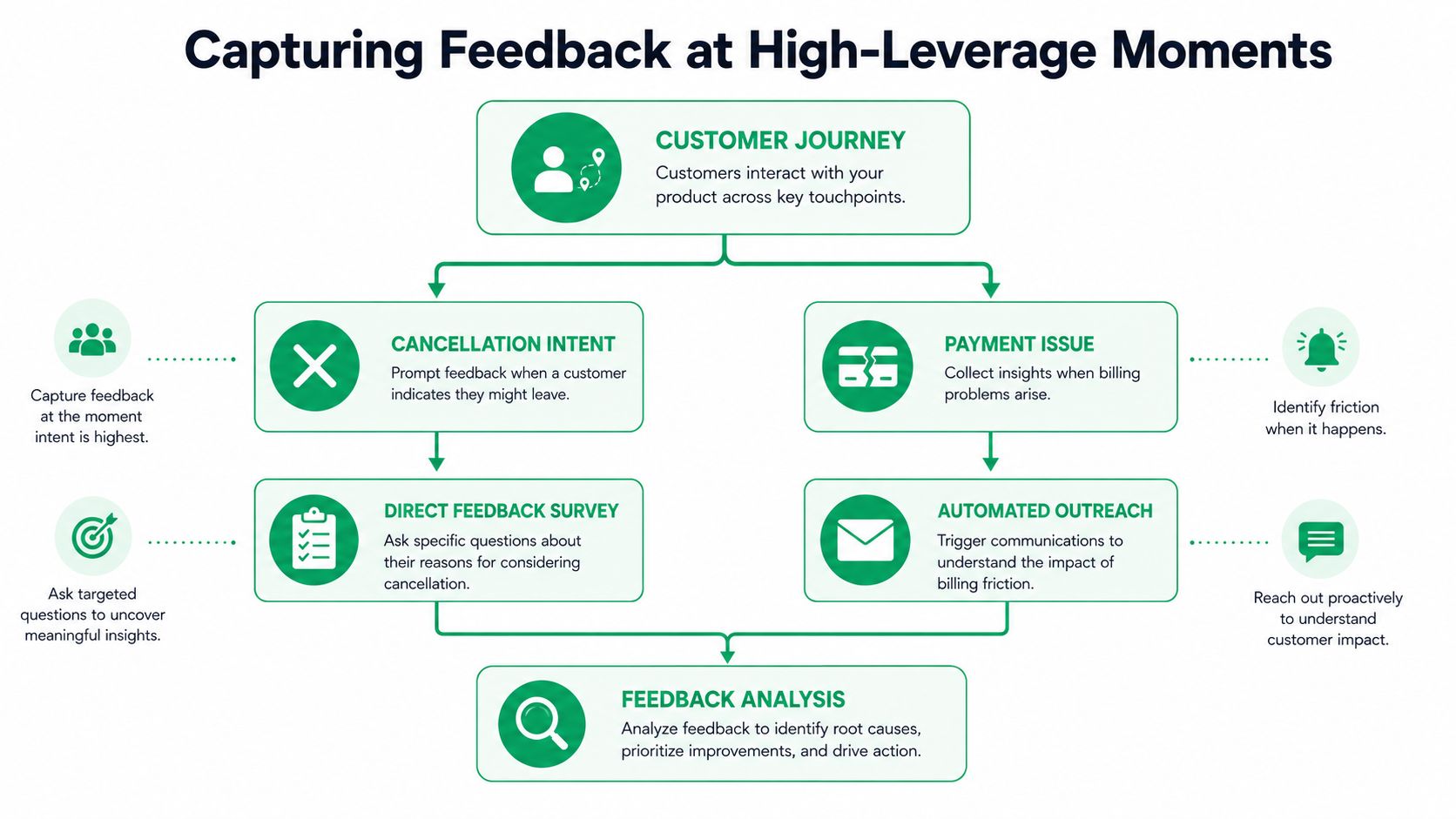
The best feedback doesn't come from a survey sent after the account is already gone. It comes from the moment when the customer still wants an outcome.
Cancellation intent is one of those moments. Payment failure is another. Both are high-signal because the customer is dealing with a live problem, and they're more likely to tell you what would help.
A lot of SaaS companies still run a single, generic cancellation path. That's a leak. There's a clear gap in common guidance around how non-personalized cancel pages create revenue leakage, especially when 60-70% of cancel attempts are involuntary or saveable. If every customer sees the same button and the same next step, the business gives up the chance to route them toward a better outcome.
Cancellation intent produces honest feedback
The cancellation flow works because the customer has context in front of them. They know what hurt, what feels too expensive, what feature is missing, or why timing changed. If your flow asks clearly and offers an honest next step, response quality is usually much better than a delayed “why did you leave?” email.
What works in practice is simple:
- Ask for the reason inside the flow. Use a short reason list plus an open text field.
- Respond to the reason immediately. If they select budget, show downgrade or pause. If they select missing functionality, offer support, roadmap contact, or a clean exit.
- Keep the path non-obstructive. Customers should always be able to cancel cleanly.
- Store the feedback with account context. Plan, usage, tenure, billing state, and account value matter.
What doesn't work is making the flow feel like a trap. Dark patterns corrupt the data. If customers feel blocked, they'll choose the fastest answer, not the most accurate one.
The quality of the feedback depends on whether the customer believes their answer will change what happens next.
Payment failure is feedback too
Many teams think of billing recovery as a finance workflow. It's also a customer feedback channel.
A failed payment often carries hidden context. Sometimes the issue is card expiry or procurement delay. Sometimes it's a softer signal that the product is already losing urgency inside the account. If you collect a short explanation during card update prompts, reminder flows, or support-assisted recovery, you learn whether the problem is operational, financial, or product related.
That matters because billing friction and churn intent often overlap. The account that misses a payment and says “we're not using this enough anymore” is very different from the account that says “new card, please retry.”
Replace one cancel button with a routing system
The practical shift is moving from a button to a decision tree.
A strong flow uses account context plus stated reason to determine the next step. That next step might be support, pause, downgrade, payment recovery, sales outreach, or immediate cancellation.
If you need a simple mental model, think in terms of routing logic rather than forms:
- Detect intent
- Collect stated reason
- Read account context
- Choose the next best save path
- Record outcome and recovered revenue context
Teams already obsess over activation and onboarding metrics, but the same discipline belongs in retention moments too. The best engagement metrics for subscription products become more useful when paired with live churn feedback instead of being reviewed in isolation.
A cancellation flow should feel like a helpful service interaction, not a compliance screen. If it does, customers tell you more, and you still have time to act.
Process and Cluster Feedback Automatically
Once you start collecting open text at cancellation intent, payment failure, support, and surveys, the next problem shows up fast. You get a wall of words.
Reading every response by hand works for a while. Then volume climbs, opinions differ, and the taxonomy becomes inconsistent. One person tags “slow reports” under performance. Another files it under analytics. A third creates “dashboard lag.” Now you have three labels for one issue.
Centralize first, then classify
A solid customer feedback analysis workflow starts by pulling unstructured feedback into one layer. Survey comments, support tickets, call transcripts, cancellation text, and billing-related notes need to sit in the same system or pipeline. That's the only way to avoid channel silos and partial conclusions.
The operational benefit is significant. According to Directive Consulting on qualitative data analysis for customer feedback analysis, a robust methodology requires centralizing unstructured data and applying AI-driven topic modeling, which can reduce manual coding time from weeks to hours while improving pattern reliability.
That matters because speed changes behavior. When teams can review clustered themes the same day instead of waiting for a monthly coding exercise, they use the insight.
Why keyword matching breaks down
Keyword rules look attractive because they're easy to set up. They also fail as soon as customers use natural language.
Three users can describe the same issue in completely different ways:
- “The dashboard is slow”
- “Reports take forever to load”
- “The app gets laggy when I open analytics”
A keyword model treats those as separate fragments unless someone predicts every phrase in advance. Modern text analysis is better because it groups comments by meaning, not just exact wording.
That's why the best systems use topic modeling, sentiment analysis, and pre-trained language models instead of plain keyword lists. In practical terms, they're doing two jobs:
| Task | What it does |
|---|---|
| Theme detection | Groups related comments into issues such as billing confusion, missing integrations, or performance friction |
| Sentiment at theme level | Shows whether the theme is frustration, praise, confusion, or urgency |
This is also where search becomes useful. Once themes are clustered, teams still need to inspect edge cases, look for competitor mentions, or pull every complaint tied to a specific feature. Good natural language search for customer conversations makes that possible without forcing operators to know the exact tags in advance.
Operator note: Auto-clustering is for speed. Human review is for trust. If a theme affects retention decisions, someone should validate what the model grouped together.
Build a taxonomy your teams can use
The best taxonomy isn't the most detailed one. It's the one your team can act on consistently.
Start broad. Categories like Product, Service, and Pricing are usually enough at the top level. Under those, add narrower themes only when they support an action. “Missing integration” is useful because product, sales, and success can all respond to it. “General frustration” usually isn't.
A practical setup looks like this:
- Top-level category: Product
- Theme: Reporting performance
- Sub-theme: Slow dashboard load
- Signal type: Churn risk, support friction, expansion blocker
Keep a confidence threshold for automated tagging. High-confidence items can flow through automatically. Lower-confidence ones should be flagged for review. That trade-off keeps the system fast without pretending the model is perfect.
The goal isn't to create a beautiful taxonomy. It's to transform scattered text into themes you can route, prioritize, and measure.
Attribute Feedback Themes to At-Risk MRR
Most customer feedback analysis programs stop short. They identify themes, maybe rank them by volume, and call it insight.
Volume is not priority. Revenue exposure is priority.
A recurring theme mentioned by healthy, expanding accounts may deserve attention, but a lower-volume theme tied to active cancellation intent in high-value subscriptions deserves immediate action. That's the distinction frequently missed.
Move from theme counts to revenue context
The open question that standard guidance rarely answers is straightforward: How do you quantify the MRR impact of a specific feedback theme in real time to automate routing rules?
The practical answer is to join each feedback event to subscription data at the account level, then aggregate by theme inside an at-risk window. You're no longer asking, “How often do people mention this?” You're asking, “How much recurring revenue is attached to accounts mentioning this while showing churn or billing risk?”
That changes roadmap conversations fast.
Instead of this:
- “We've seen a lot of complaints about setup complexity.”
You get this:
- “Accounts entering cancellation intent and mentioning setup complexity represent a meaningful pool of at-risk MRR, and they skew toward a specific segment.”
The first statement produces debate. The second produces action.
A simple operating model
You don't need a complex financial model to get started. You need a consistent one.
Use this basic structure:
- Identify the feedback event Freeform cancellation comment, support transcript, payment recovery note, or survey response.
- Map the event to a validated theme Use the clustering system, then confirm the theme if confidence is low.
- Attach account context Plan, current MRR, product usage, billing state, and whether the account is in a churn-risk event.
- Aggregate by theme Review which themes are tied to at-risk subscriptions, not just total mention count.
- Use the output operationally Route users during live churn flows and prioritize fixes in the roadmap.
Here's the trade-off in plain terms:
| Prioritization method | What it misses |
|---|---|
| Raw volume of mentions | High-value accounts can disappear inside broad complaint totals |
| Loudest internal requests | Teams often overweight anecdotes |
| Generic sentiment score | Negative sentiment without account value context doesn't show revenue risk |
| Theme plus at-risk MRR | Gives both customer voice and business consequence |
Use theme-level MRR for routing, not just reporting
Once themes have MRR context, they become operational inputs.
If a user enters cancellation intent and their freeform reason maps to a known theme tied to meaningful at-risk revenue, the system can trigger a more specific path. Budget pressure might route to pause or downgrade. Onboarding friction might trigger support handoff. Missing feature themes might route to a product feedback lane plus a clean cancellation option.
The point of theme attribution isn't a prettier dashboard. It's better decisions while the customer is still in the flow.
There's also a political benefit. Product teams usually get overloaded with requests framed as “customers want this.” Theme-linked revenue gives leaders a more defensible way to choose what gets built, what gets handled through retention offers, and what gets acknowledged but not prioritized.
When feedback themes carry MRR context, customer feedback analysis stops being descriptive. It becomes financially ranked.
Prioritize Actions and Run Retention Experiments
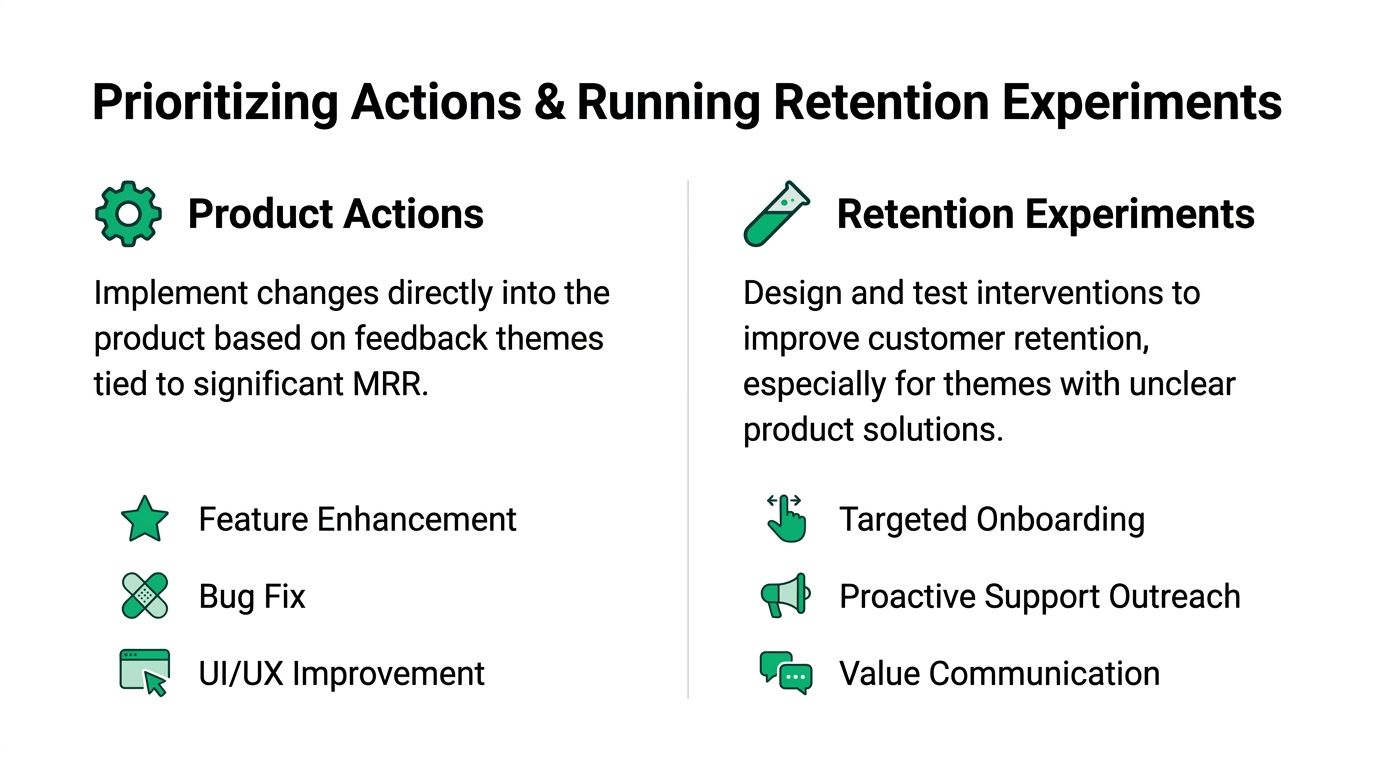
Once themes are tied to at-risk revenue, you can split the response into two tracks. Some issues belong in the product. Others belong in the retention system.
Good teams don't confuse the two. They don't try to discount their way out of a broken workflow, and they don't put every temporary objection on the roadmap.
That discipline matters because bad interactions pile up. According to Zendesk customer service statistics, 73% of consumers will switch to a competitor after experiencing multiple bad interactions. The lesson for SaaS teams is simple. If the same friction keeps appearing in feedback and nobody acts on it, retention gets weaker over time.
Decide what goes to product and what stays in retention
The first pass should be binary. Is this a problem that requires a product change, or is it a situational objection that can be handled with an offer, message, or service intervention?
A quick decision framework helps:
| Theme type | Best first response |
|---|---|
| Missing core capability | Product evaluation, plus expectation-setting in the cancel flow |
| Temporary lack of need | Pause offer or plan adjustment |
| Price resistance with low usage | Downgrade path, education, or packaging review |
| Billing friction | Payment recovery workflow |
| Confusion during onboarding | Guided support, onboarding intervention, or success handoff |
Many retention programs go off course when they overuse discounts because discounts are easy to deploy. But if the account is leaving because the feature gap is real, a discount may only delay churn.
Design save paths by reason
The save path should match the customer's stated reason and account context. That sounds obvious, but plenty of teams still send everyone through the same generic sequence.
The strongest save paths are narrow and honest:
- Budget pressure: Offer downgrade, usage-based fit guidance, or a targeted discount when it makes sense.
- Temporary pause in need: Offer a pause option with a clean reactivation path.
- Product confusion: Route to onboarding help or support contact.
- Missing capability: Acknowledge the gap, capture the exact use case, and avoid pretending the product already solves it.
- Billing issue: Focus on card update, retries, and procurement assistance.
A save offer is only useful if it preserves a customer relationship that still has a reason to exist.
Field test: If an offer would feel wrong to present face-to-face to the customer, it probably shouldn't be automated in the cancel flow either.
Measure recovered revenue, not just click-throughs
The most common measurement mistake is optimizing for intermediate actions. Teams celebrate when a user clicks “see options” or opens a support modal, but those aren't the outcome.
The outcome is whether the account stays, what path it accepted, and whether that decision preserved recurring revenue. Every experiment should answer three practical questions:
- Which reason triggered the path
- Which offer or intervention was shown
- What subscription outcome followed
That allows real comparison between options. A pause path and a downgrade path may both reduce immediate churn, but they produce different retention quality and different future expansion potential.
Use product feedback to justify roadmap choices
This same system also sharpens product prioritization.
When multiple accounts mention the same friction inside real churn moments, the team can frame the issue as revenue protection, not just feature demand. Product leaders usually respond better to “this issue keeps showing up in active retention risk” than to “support says users don't like this flow.”
That doesn't mean every high-risk theme gets built immediately. Some issues are better handled with clearer messaging, stronger onboarding, or account segmentation. But the roadmap improves when the business can separate:
- Structural product gaps
- Packaging and pricing mismatches
- Service and education failures
- Temporary customer-side constraints
Strong customer feedback analysis gives each team a cleaner queue. Product gets revenue-backed problem statements. Growth gets save-path hypotheses. Success gets intervention triggers. Support gets better context for urgent accounts.
That's when retention work starts compounding instead of staying reactive.
Close the Loop with Integrated Workflows
A dashboard doesn't save customers. Workflows do.
The moment feedback becomes useful is the moment it reaches the team that can act on it without waiting for a weekly meeting or a monthly report. If that handoff doesn't happen automatically, customer feedback analysis turns into another analytics project that people admire and ignore.
Push the signal into the tools people already use
Many teams already live in Slack, a CRM, the support desk, and a marketing stack. That's where the feedback signal needs to go.
The highest-value workflows are usually simple:
- Slack alerts for urgent churn events: Send a real-time notification when a high-value account enters cancellation intent and selects a high-risk reason.
- CRM updates for follow-up: Push the reason, theme, and current subscription state into the account record so sales or success can respond with context.
- Support queue enrichment: Attach churn-related feedback to open tickets so the agent sees the full picture.
- Audience syncing for lifecycle marketing: Create segments for at-risk accounts, recently saved customers, and clean cancellations for targeted follow-up.
Make escalation rules explicit
Integrated workflows only work when the business decides who owns what.
A common failure mode is sending every alert to everyone. That creates noise and teaches the team to ignore the system. Better to define a few clear escalation paths:
| Trigger | Owner |
|---|---|
| High-value cancellation with product complaint | Customer success plus product review |
| Billing-related churn signal | Finance or billing operations plus support |
| Onboarding friction in a new account | Customer success |
| Repeated feature-gap mentions across accounts | Product manager |
The goal isn't more alerts. It's faster action with less ambiguity.
If a high-risk feedback event enters your system and no team knows who should respond, the analysis layer is working but the operating model is broken.
Close the customer loop too
Internal workflows matter, but the customer loop matters just as much.
When a company changes a flow, fixes a recurring issue, or adds a save option based on feedback, customers should hear about it. That communication doesn't need to be dramatic. A short in-app note, a support follow-up, or a lifecycle email is often enough.
Closing the loop does two things. It shows that feedback leads to action, and it increases the odds that future feedback will be more detailed and more useful. Customers are much more candid when they believe someone will use what they share.
The best SaaS teams make feedback visible across the organization, but they also make the response visible to the customer. That's how the loop stays alive.
Conclusion From Feedback to a Revenue Flywheel
Many organizations say they care about customer feedback. Fewer build a system that can turn feedback into revenue protection while the customer is still deciding.
That's the shift that matters. Customer feedback analysis shouldn't sit in a quarterly deck or a support report. It should sit inside the moments where churn risk becomes real, especially cancellation intent and billing failure. Capture the signal there, cluster it fast, connect it to account value, and use it to drive both product priorities and retention experiments.
When that loop works, several things improve at once. The product team sees which issues are tied to real revenue exposure. Growth stops sending every customer through the same generic cancel path. Success gets earlier warning on accounts that need a human touch. Leadership gets a clearer view of what's driving churn instead of a pile of vague labels.
This also creates a flywheel. Better feedback capture leads to better routing. Better routing produces stronger save outcomes and cleaner churn data. That sharper data improves roadmap decisions and customer experience. Then customers give more useful feedback because they can see it leads somewhere.
If your team is still tolerating unexplained churn, don't start with another survey. Start where intent is strongest. Fix the cancellation flow, capture freeform reasons in context, and treat every meaningful comment like a live revenue signal instead of a historical note.
Revcover helps subscription SaaS teams turn cancellation intent and payment failure into measurable retention workflows. It connects with Stripe, captures churn reasons in the flow, routes customers to context-appropriate save paths, and ties outcomes back to recovered recurring revenue. If you want to make customer feedback analysis operational instead of just informative, explore Revcover.