
California Automatic Renewal Law: SaaS Compliance Guide

Ayush Soni
Founder, Revcover
On this page
- The Wake-Up Call for Subscription Businesses
- Why this hits RevOps, not just legal
- Why strong compliance can help retention
- What the California Automatic Renewal Law Actually Requires
- Consent has to be separate and provable
- Notices must be timely and operational
- Cancellation has to be as easy as signup
- Recent Updates and Escalating Enforcement Trends
- Why teams are revisiting old flows now
- Where the real business risk shows up
- Your ARL Compliance Checklist and Disclosure Language
- Checkout and enrollment controls
- Notices and customer communications
- Cancellation interface requirements
- Designing a Compliant Cancellation Flow That Still Saves Customers
- What works in practice
- What usually crosses the line
- Operational Controls for Stripe and Beyond
- What to log and retain
- How to keep Stripe as the source of truth
- FAQ on California's Automatic Renewal Law
- Does the California Automatic Renewal Law matter if my company isn't based in California
- Is a contact form or support email enough for cancellation
- Can we still show save offers during cancellation
- What makes Stripe implementations difficult here
- Do we need to revisit old subscriptions
- What's the simplest first step
You're probably in one of two situations right now.
Either legal sent over a note about the California Automatic Renewal Law and your first reaction was, “We already show renewal terms in checkout, so we're probably fine.” Or someone on product, billing, or support realized your cancellation flow still routes online signups into a support queue, and now everyone's trying to figure out whether that's merely annoying or legally risky.
For SaaS teams, this isn't a policy-page problem. It's a systems problem. Checkout copy, Stripe setup, cancellation UX, renewal notices, consent logging, retention offers, support macros, and billing events all have to line up. If one piece is off, the customer experience breaks first. Compliance risk shows up right after.
The companies that handle this well don't treat the California Automatic Renewal Law as a narrow legal checklist. They treat it as a forcing function to clean up subscription operations. That usually improves trust, reduces avoidable friction, and gives teams better visibility into what customers are reacting to. If you care about retention, that matters just as much as engagement metrics that actually reflect product value.
The Wake-Up Call for Subscription Businesses
The wake-up call usually isn't dramatic. It's a small operational detail that suddenly looks expensive.
A team launches a polished self-serve checkout. Conversions look healthy. Then someone audits the flow and notices the renewal terms are bundled into broad terms acceptance, the cancellation route sends users to “contact support,” and save offers appear before the user can clearly see a direct way out. None of that feels unusual in SaaS. A lot of it is exactly how subscription systems evolved.
The problem is that the California Automatic Renewal Law doesn't care whether your friction was intentional. It cares what the customer experienced, what you disclosed, how you captured consent, and whether cancellation was available in the same medium the customer used to enroll.
Why this hits RevOps, not just legal
Legal can interpret the rule. RevOps, product, lifecycle, support, and engineering have to implement it.
That means answering practical questions like these:
- Checkout ownership: Who controls the billing page copy if Stripe Checkout, a custom front end, and a CMS all touch the experience?
- Consent evidence: Where is affirmative consent stored, and can anyone retrieve it if a dispute shows up later?
- Notice logic: Which system knows when a renewal reminder or change notice should trigger?
- Cancellation path: If a user signed up online, can they cancel online without a handoff?
- Retention offers: Can the team still present a pause, downgrade, or discount without turning the cancellation flow into a trap?
Compliance work gets messy when nobody owns the path from initial consent to final cancellation.
Why strong compliance can help retention
There's a common fear that making cancellation easier will automatically damage retention. In practice, the bigger risk is a cancellation flow that feels evasive. Customers notice when the product makes signup instant and exit awkward.
Clean disclosure and honest cancellation UX do two useful things. They lower the temperature of the interaction, and they give your team better signal. If a customer trusts the flow, they're more likely to tell you whether the issue is price, missing functionality, timing, procurement, or failed payment rather than just leaving angry.
That's the practical mindset shift. The California Automatic Renewal Law isn't just about avoiding mistakes. It's about building subscription operations that can stand up to scrutiny and still support a sensible retention strategy.
What the California Automatic Renewal Law Actually Requires
The easiest way to think about the California Automatic Renewal Law is as a subscription bill of rights. The customer has the right to know what they're agreeing to, to say yes explicitly, and to leave without a maze.
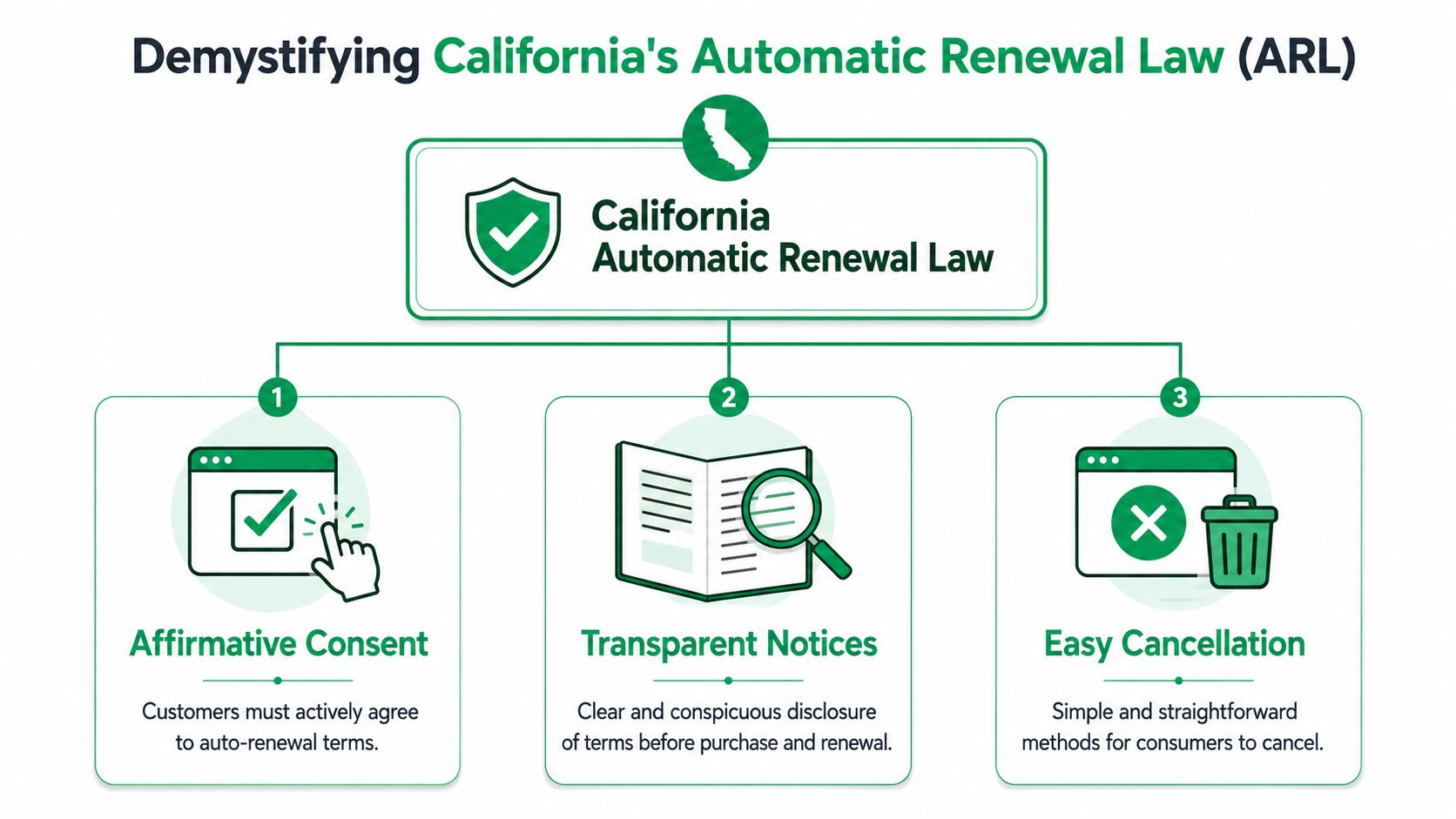
Under the amended law, businesses must get separate, express affirmative consent to auto-renewal terms, retain proof of that consent for the longer of three years or one year after cancellation, and provide cancellation through the same channel used to sign up. The amendments took effect on July 1, 2025, and the law also requires annual renewal reminders even for monthly subscriptions, plus change notices 7 to 30 days before price or term changes take effect, as summarized in this review of the July 2025 California ARL changes.
Consent has to be separate and provable
Here, many SaaS checkouts fall short.
If your renewal language is buried inside a general terms checkbox, that's not the cleanest place to be. The law now expects a separate expression of consent to the auto-renewal terms themselves. Operationally, that means your checkout should present the recurring nature of the purchase in a way the user has to actively accept, and your systems should store evidence tied to that moment.
A practical setup usually includes:
- A dedicated consent action: Separate from general terms acceptance.
- Visible recurring terms: Not hidden behind a secondary link or collapsed panel.
- Stored evidence: User ID, plan, pricing shown, timestamp, channel, and the version of the disclosure presented.
Notices must be timely and operational
A lot of teams understand disclosure at signup but forget the law continues after purchase.
The California Automatic Renewal Law now expects ongoing notice behavior. Annual reminders apply even to monthly subscriptions, and notice of a price or term change has to go out within a defined window before the change takes effect. This forces teams to solve a data problem, not just a copy problem. Your billing platform, CRM, and messaging system need a shared understanding of renewal dates and pending changes.
A simple way to frame it is this:
| Requirement area | What the team has to operationalize |
|---|---|
| Enrollment | Show recurring terms before payment details are entered |
| Ongoing subscription | Trigger annual reminders on active subscriptions |
| Changes | Send notice before price or term changes take effect |
Cancellation has to be as easy as signup
Here, the law becomes very concrete for product teams.
If the customer enrolled online, the cancellation path has to be online too. That means no forcing a phone call, no hiding cancellation behind a support ticket as the primary route, and no creating a flow where the user has to negotiate with an agent before they can exit.
The fastest compliance check is simple. Complete your own cancellation flow as a customer and count how many moments delay or divert cancellation.
This part of the law also affects how you present save offers. You can still try to retain the account, but the cancellation route has to remain visible and usable. That distinction matters a lot in self-serve SaaS.
Recent Updates and Escalating Enforcement Trends
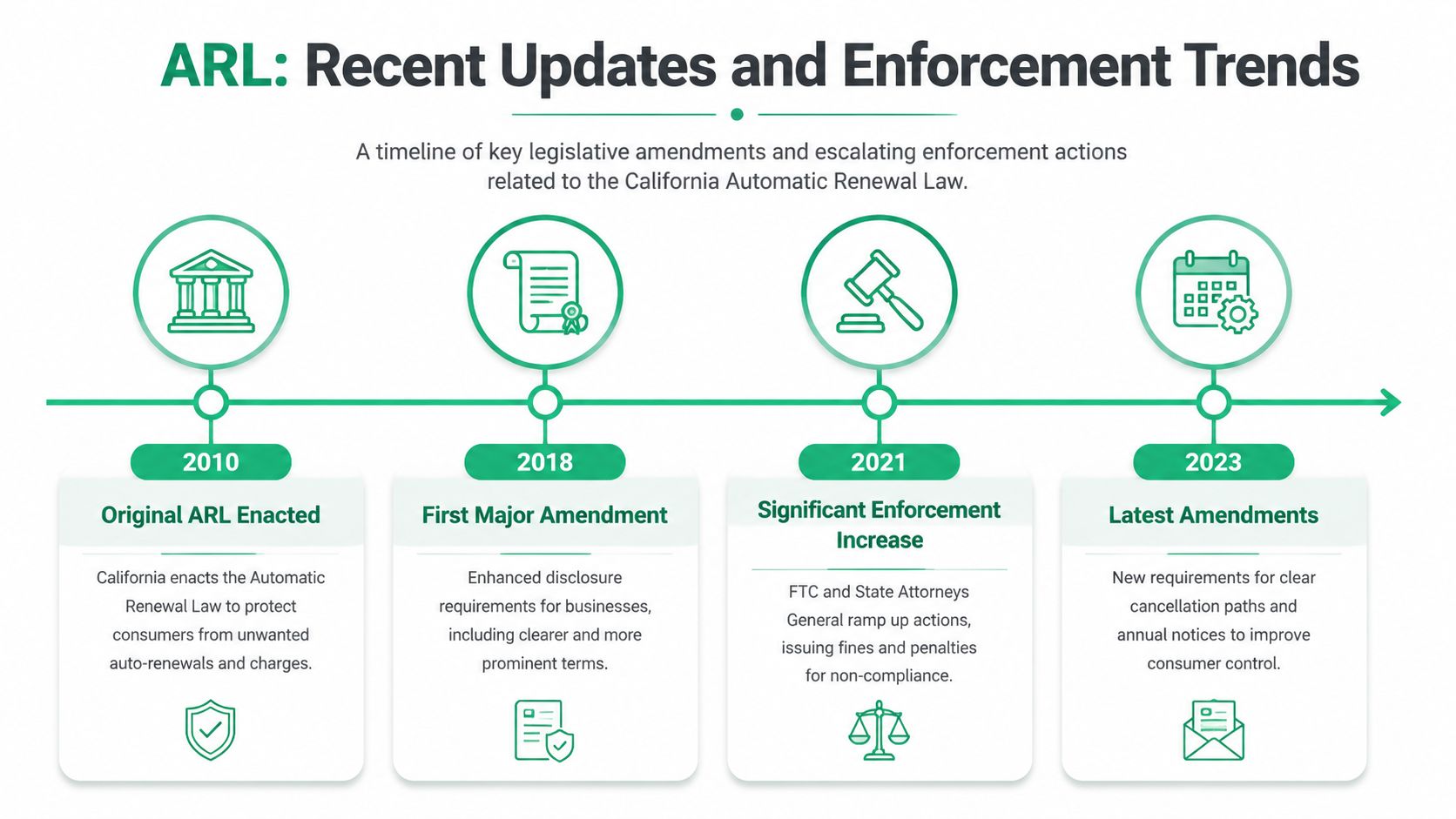
Many organizations didn't redesign their subscription systems from scratch in the last year. They layered new billing pages onto old account settings, added lifecycle emails in another tool, and let support handle the edge cases. That patchwork is exactly why the recent California updates matter.
Why teams are revisiting old flows now
The legal standard has moved closer to what customers already expect. Friction-heavy cancellation flows, vague billing disclosures, and weak proof of consent used to survive because they were common. Common doesn't mean defensible.
One of the sharpest enforcement points is financial. Violations can lead to civil penalties of up to $2,500 per violation, and California law can treat goods or services delivered under an unauthorized subscription as an unconditional gift, according to this summary of ARL enforcement exposure and cancellation requirements. That changes the conversation inside the business. This stops being a design preference and becomes revenue risk.
The same source also notes that the law has required an immediate online cancellation method since July 1, 2022 for customers who signed up online. In practice, many SaaS teams still haven't aligned old support-first flows with that standard.
Where the real business risk shows up
Risk doesn't only sit in a formal complaint. It also shows up in the gap between how the company thinks the flow works and how the customer experiences it.
Common weak points include:
- Legacy account portals: Billing was migrated, but cancellation still lives in a separate help widget.
- Human approval steps: A support rep has to confirm or process the request before the cancellation is effective.
- Broken ownership: Product owns the screen, billing owns Stripe, support owns the inbox, and nobody owns the end-to-end result.
- Inconsistent records: The customer accepted one version of renewal terms, but the company can't easily retrieve what was shown.
If your internal answer to “How does a California customer cancel?” starts with “It depends,” you probably have an operational problem.
There's also a timing issue many teams miss. Changes in the law don't just affect net-new subscriptions. They create review work around amended or extended contracts, updated pricing, plan migrations, and self-serve changes made after enrollment. In SaaS, that touches more of the customer base than most leaders first assume.
Your ARL Compliance Checklist and Disclosure Language
This is the part where broad principles need to become tickets, copy changes, QA steps, and system rules.
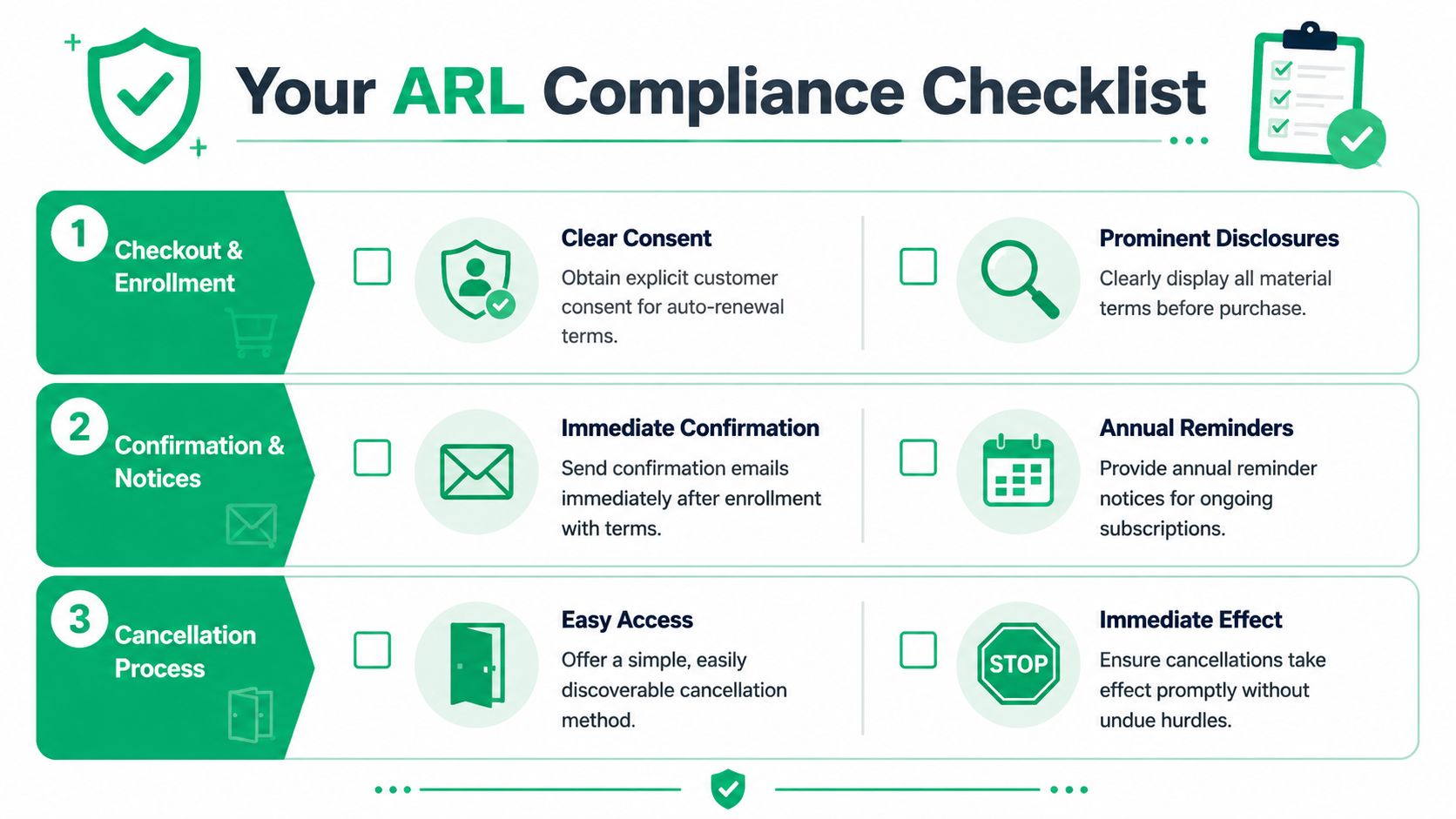
California's amended law requires businesses to disclose the subscription's amount or range of costs and the frequency of charges before the customer enters billing information. It also allows a discount or retention offer only if a prominent cancellation method appears at the same time, as discussed in Wilson Sonsini's analysis of the amended ARL disclosure and retention-offer rules.
Checkout and enrollment controls
Start with the purchase path. That's where many teams have the least ambiguity and the most influence.
Use this working checklist:
- Show billing terms before payment entry: Put the recurring price or price range and charge frequency directly in the path before billing information is entered.
- Separate renewal consent from general terms: Don't rely on a single “I agree” control if it covers everything.
- Match disclosure to actual billing logic: If Stripe is set to monthly recurring billing, the page language needs to say that plainly.
- Store proof of what was shown: Save the disclosure version, timestamp, plan, and customer identity in a retrievable record.
Sample disclosure language for a checkout page:
By continuing, you agree to enroll in a recurring subscription. You'll be charged [amount or price range] every [billing frequency] until you cancel. Cancel through your account billing settings.
That sample is intentionally plain. Legal may refine the wording, but the operational point is more important than elegance. The customer should know the amount, the cadence, and the cancellation route before they hand over billing details.
Notices and customer communications
Teams usually have reminder capabilities already. What they often lack is disciplined triggering.
Use your billing system as the event source, then push notices through your email or messaging platform with templates approved for consistency. Don't let this live as a manual calendar task.
A practical notice checklist:
- Annual reminder workflow: Trigger for active subscriptions that require recurring notice under the law.
- Change notice workflow: Send notice when pricing or material term changes are scheduled.
- Confirmation messaging: Include recurring terms and cancellation information after enrollment.
- Template governance: Keep version history so you know which language was sent and when.
Sample language for a change notice email:
Your subscription is set to continue on a recurring basis. Starting on [effective date], your subscription will renew at [new amount or range] every [frequency]. You can cancel through [cancellation path] before the change takes effect.
Cancellation interface requirements
At this stage, teams often overcomplicate things.
Your cancellation surface should be easy to locate, direct to complete, and compatible with save offers that don't block the user from leaving. A generic “contact us” page is usually the wrong pattern for self-serve SaaS.
Use this interface checklist:
- Direct access: Put a visible cancellation link or button in the billing or subscription area.
- Same-page exit path: If you show a retention offer, keep a prominent way to finish canceling on that same screen.
- No forced detours: Don't require chat, email composition, or agent review as the main path.
- Immediate sync: When cancellation is confirmed, update the subscription state in the billing system without delay.
A simple on-screen cancellation prompt can read:
You can cancel your subscription now. If you'd prefer, you can also choose one of the options below. You may still complete cancellation at any time.
That sentence does an important job. It preserves a legitimate save motion without hiding the exit.
Designing a Compliant Cancellation Flow That Still Saves Customers
The biggest mistake SaaS teams make is treating compliance and retention as opposites. They're not. The law is pushing you away from manipulative cancellation design, not away from thoughtful retention.
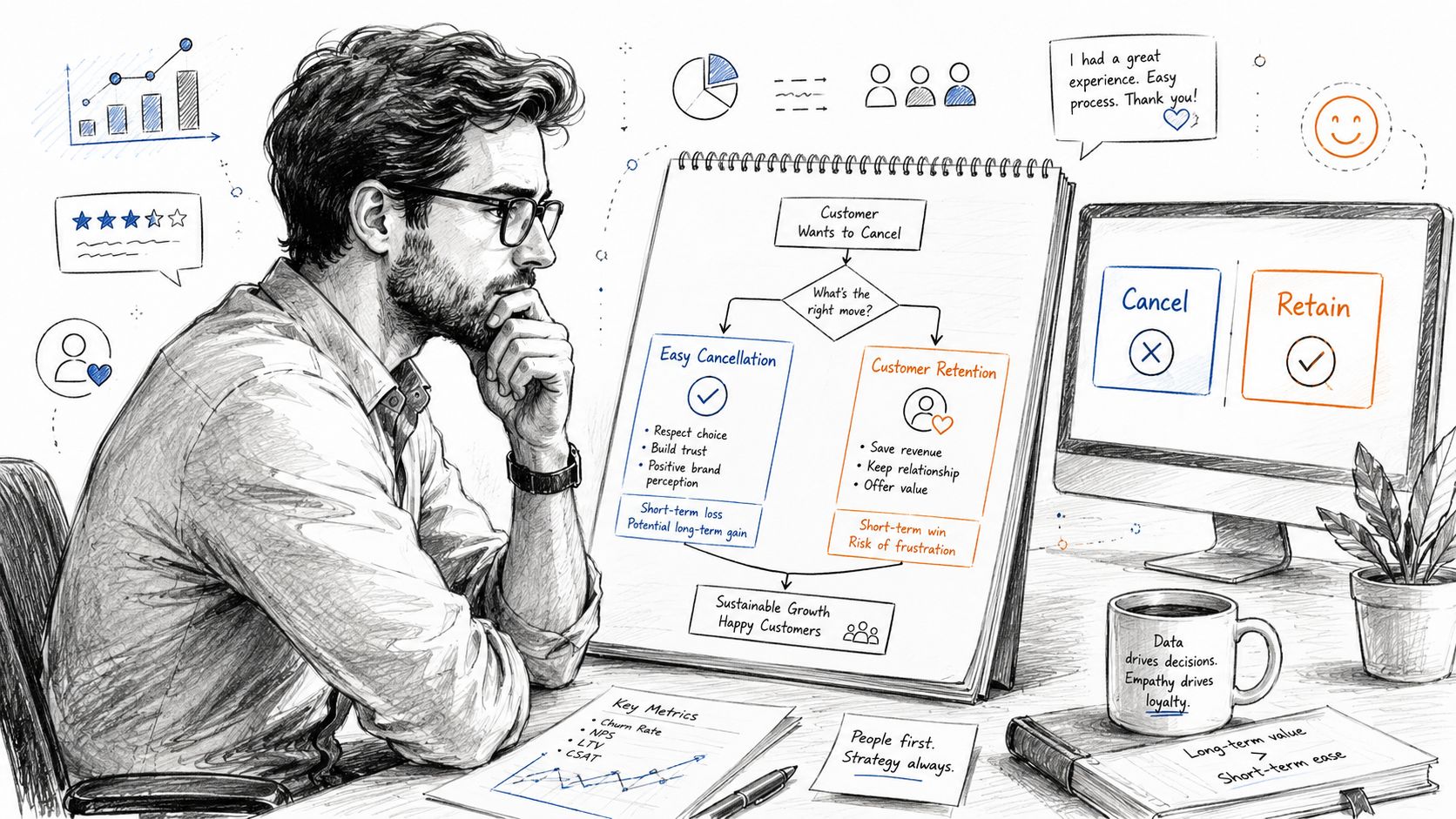
The operational nuance matters. The newer California amendment requires cancellation through the same medium used to enroll. If enrollment was online, the user must see a direct cancellation link or button. Businesses may present retention offers only after clearly telling the user they can still finish canceling at any time, and the changes apply to contracts entered into, amended, or extended on or after July 1, 2025, as explained in Venable's discussion of cancellation UX, same-medium rules, and the transition issue.
What works in practice
Good cancellation design is honest, short, and context-aware.
A workable flow often looks like this:
- User clicks a direct cancel link in billing settings.
- The page confirms they can cancel now.
- The system asks for an optional reason.
- A targeted offer appears if relevant.
- A prominent final cancellation action remains visible on the same screen.
That lets the team do useful retention work without burying the exit. For example, a customer citing budget pressure may see a downgrade or short-term discount. A customer citing low usage may see a pause. A customer with a support issue may be offered a handoff, but only as an option, not as a gate.
One useful framing is to separate helpful alternatives from blocking tactics. Helpful alternatives respect the customer's intent. Blocking tactics try to wear the customer down.
You can also segment intelligently. Some teams use Stripe metadata, account value, plan type, usage patterns, or stated cancellation reasons to decide which path to show. Tools like Revcover's explanation of voluntary vs involuntary churn are useful in practice because the right intervention depends on why the customer is leaving. A failed-payment customer and a dissatisfied active user shouldn't see the same flow.
The best save offer is the one that feels relevant and optional. The worst one is the one that makes the customer wonder whether canceling is even possible.
What usually crosses the line
The risky patterns are usually obvious once you stop looking at them from the company's perspective.
Avoid these:
- Hidden cancellation CTAs: The customer has to scroll past multiple offers or disclosures to find the actual exit.
- Support-only completion: The product collects intent but says someone will follow up later to process the cancellation.
- Misleading button labels: “Continue” means cancel on one screen and means accept an offer on another.
- Offer loops: The customer declines one retention offer and gets routed into another instead of being allowed to complete cancellation.
- Emotionally loaded friction: Copy designed to shame the user or imply they're making a mistake.
This is also where Stripe implementations can get tricky. If Stripe handles billing but your product controls the cancellation UI, the final cancellation action must write back cleanly to Stripe. If the customer thinks they canceled and Stripe still shows an active subscription, you've created both a trust problem and an operational mess.
Operational Controls for Stripe and Beyond
A compliant cancellation page is only the front end. The actual control system sits behind it.
What to log and retain
If your team can't prove what happened, it's hard to defend the flow later.
For California Automatic Renewal Law readiness, your records should reliably capture:
- Consent evidence: Which disclosure the customer saw, what action they took, and when they took it.
- Notice history: Which reminder or change notice was sent, through which channel, and against which subscription event.
- Cancellation events: When the user initiated cancellation, what route they took, and when billing status changed.
- Offer exposure: Which save offer was displayed, accepted, or declined, while preserving the customer's ability to cancel.
Mature RevOps discipline matters. Logging shouldn't depend on screenshots and memory. It should be part of the product and billing event model.
How to keep Stripe as the source of truth
For teams using Stripe Billing, the cleanest setup is usually to let Stripe remain the source of truth for subscription state while your product controls the customer-facing experience.
That means:
- Product handles UX: The app presents disclosures, consent capture, reason collection, and cancellation options.
- Stripe handles billing state: Cancellation, pause logic where applicable, plan changes, and invoicing stay synchronized to Stripe.
- Events feed downstream systems: CRM, support tools, Slack, and analytics consume updates from the billing event stream.
A practical pattern is to intercept cancellation intent in-product, then write the resulting action back to Stripe immediately. That preserves one billing record while still letting the team personalize the flow. Platforms such as Revcover are built around that model for Stripe-connected teams, but the principle matters more than the vendor choice: don't build a sidecar cancellation database that disagrees with your billing platform.
If you're already cleaning up Stripe workflows, it's also worth tightening adjacent recovery processes like card decline handling inside a subscription billing workflow. Teams often discover that cancellation friction and failed-payment confusion were being treated as separate issues when they shared the same operational gaps.
FAQ on California's Automatic Renewal Law
Does the California Automatic Renewal Law matter if my company isn't based in California
Yes, if you sell subscriptions to California customers, you should evaluate your flow against the law. The customer's experience is what creates the risk, not just your company's mailing address.
Is a contact form or support email enough for cancellation
For online enrollment flows, that's the wrong default. A self-serve subscription should have a direct online cancellation path that the customer can complete without unnecessary intervention.
Can we still show save offers during cancellation
Yes, but the cancellation method needs to stay prominent and usable. If the offer makes cancellation harder to find or complete, the design is moving in the wrong direction.
What makes Stripe implementations difficult here
Stripe usually isn't the problem by itself. The trouble comes from split ownership. Marketing controls checkout copy, product controls the account UI, support handles edge cases, and nobody owns the full consent-to-cancel path.
Do we need to revisit old subscriptions
You should review not only new subscriptions but also contracts that are entered into, amended, or extended after the relevant effective date. Plan changes, renewals, migrations, and self-serve updates can all create compliance questions.
What's the simplest first step
Run your own flow end to end. Buy the subscription, capture screenshots of the disclosure, find the cancellation path, and cancel it as a customer would. Organizations often find the biggest issues in that single exercise.
If you're trying to make California Automatic Renewal Law compliance work without killing retention, Revcover is built for that operational middle ground. It connects with Stripe, helps teams route cancellation intent into clean save paths or direct cancellation, and keeps billing changes tied back to the subscription system instead of a separate manual process.